
When it comes to your technology, free is a word you need to use with caution. It sounds good, of course, but free Wi-Fi, free software, or free screen savers all come with risks. The same is true of free virtual private networks (VPNs). A VPN can provide valuable protection, but here’s why you want to pay for this tech.
VPNs create a secure and encrypted connection for your online activity. A VPN encrypts your access to private networks or the internet. It's like a private tunnel that maintains your privacy, confidentiality, and security. The VPN helps protect your data from eavesdropping, censorship, and unauthorized access.
That all sounds good, right? Add the word free before VPN, and it might sound great, but be wary of using free VPNs.
Risks of free VPN
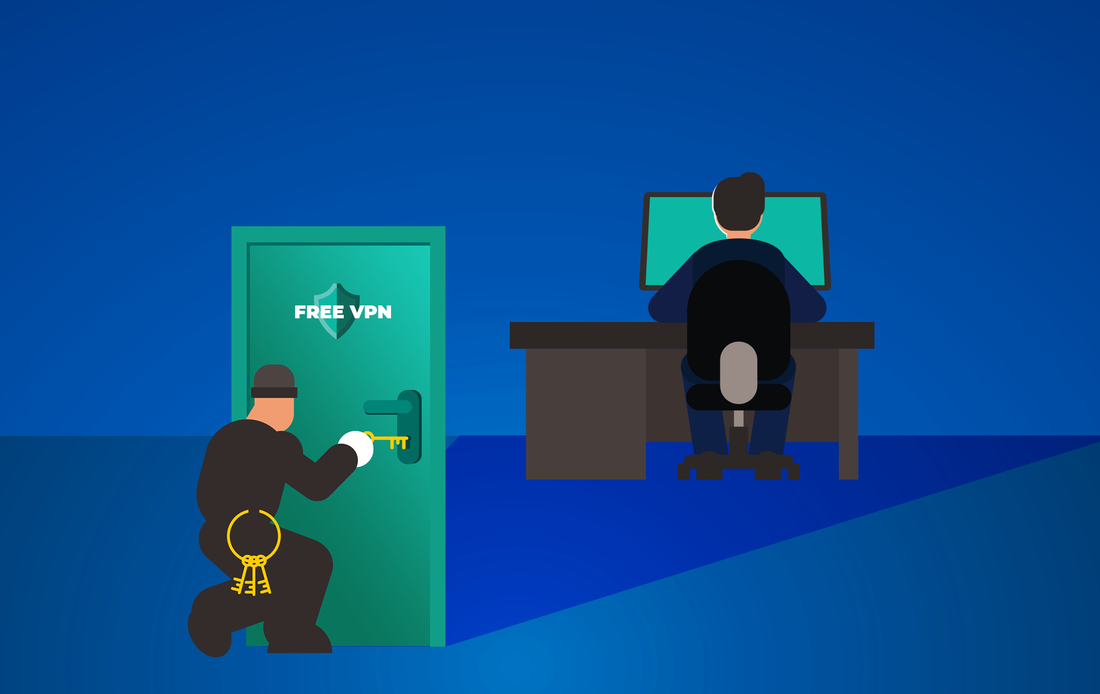
When you use a VPN, you are using that company’s bandwidth and encryption technology. Why exactly would they want to give that away for free? Seldom out of generosity. As with Facebook or other social media, you’re likely giving something in return you don’t really think about. Your data.
When you’re not paying for technology, you are likely the product. The VPN company could be monetizing your data. When they sell your data to the highest bidder, it's the cybercriminals that benefit rather than you.
A free VPN may also make money by data logging and selling your browsing history. They compromise your privacy by tracking your online activity. Then, they sell your personal preferences to third-party advertisers.
Plus, you can’t expect a free VPN to have the resources to develop and maintain top-notch security features. This could make you vulnerable to malware, hacking, and other cyber threats.
Other limitations of free VPN
That lack of resources at a free VPN company could also translate to slower internet speeds for you. They typically have limited bandwidth to offer, as it cuts their costs. They might also place a limit on how much bandwidth you can use each month to get you to upgrade to their paid plans.
Free VPNs may also lack the server locations needed to support user activity. This server congestion can also slow your online experience.
You also can’t expect much in the way of technical assistance. If you run into difficulties, don’t expect much help troubleshooting your issue. Their customer service is generally non-existent or severely understaffed.
Finding the best VPN for your needs
Instead of relying on free VPN (and paying the price for that choice), select a paid provider. A reputable VPN provider can reliably ensure your online privacy and security,
Want to learn more about VPNs or need help finding the right provider for your home internet use? Our experts can help. Contact us today at (888) 234-WDIT(9348).
VPNs create a secure and encrypted connection for your online activity. A VPN encrypts your access to private networks or the internet. It's like a private tunnel that maintains your privacy, confidentiality, and security. The VPN helps protect your data from eavesdropping, censorship, and unauthorized access.
That all sounds good, right? Add the word free before VPN, and it might sound great, but be wary of using free VPNs.
Risks of free VPN
When you use a VPN, you are using that company’s bandwidth and encryption technology. Why exactly would they want to give that away for free? Seldom out of generosity. As with Facebook or other social media, you’re likely giving something in return you don’t really think about. Your data.
When you’re not paying for technology, you are likely the product. The VPN company could be monetizing your data. When they sell your data to the highest bidder, it's the cybercriminals that benefit rather than you.
A free VPN may also make money by data logging and selling your browsing history. They compromise your privacy by tracking your online activity. Then, they sell your personal preferences to third-party advertisers.
Plus, you can’t expect a free VPN to have the resources to develop and maintain top-notch security features. This could make you vulnerable to malware, hacking, and other cyber threats.
Other limitations of free VPN
That lack of resources at a free VPN company could also translate to slower internet speeds for you. They typically have limited bandwidth to offer, as it cuts their costs. They might also place a limit on how much bandwidth you can use each month to get you to upgrade to their paid plans.
Free VPNs may also lack the server locations needed to support user activity. This server congestion can also slow your online experience.
You also can’t expect much in the way of technical assistance. If you run into difficulties, don’t expect much help troubleshooting your issue. Their customer service is generally non-existent or severely understaffed.
Finding the best VPN for your needs
Instead of relying on free VPN (and paying the price for that choice), select a paid provider. A reputable VPN provider can reliably ensure your online privacy and security,
Want to learn more about VPNs or need help finding the right provider for your home internet use? Our experts can help. Contact us today at (888) 234-WDIT(9348).
 RSS Feed
